This release sharpens the everyday order and picking screens: fix a selection bug that let unselected orders sneak into Print, tidy up the order views, make long shipment lists collapsible, and make the pick screen and feedback form easier to work with.
Order Selection Now Respects Your Choices
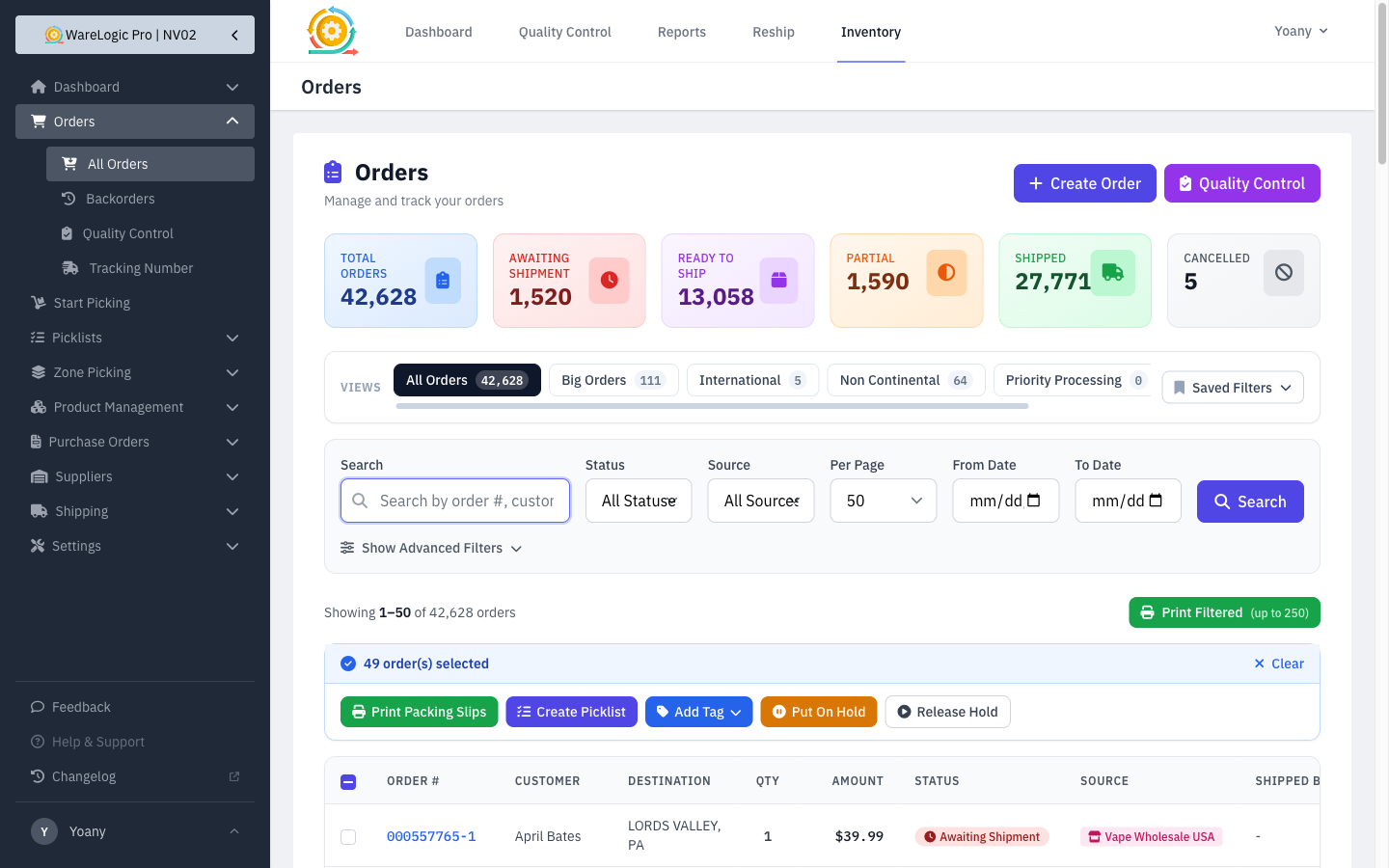
- Unselecting an order now truly removes it — the "N selected" count drops as expected.
- Print, Create Picklist, tags, and holds now act on exactly the orders you have checked — an order you unchecked is never printed or included by mistake.
Cleaner, Focused Order Views
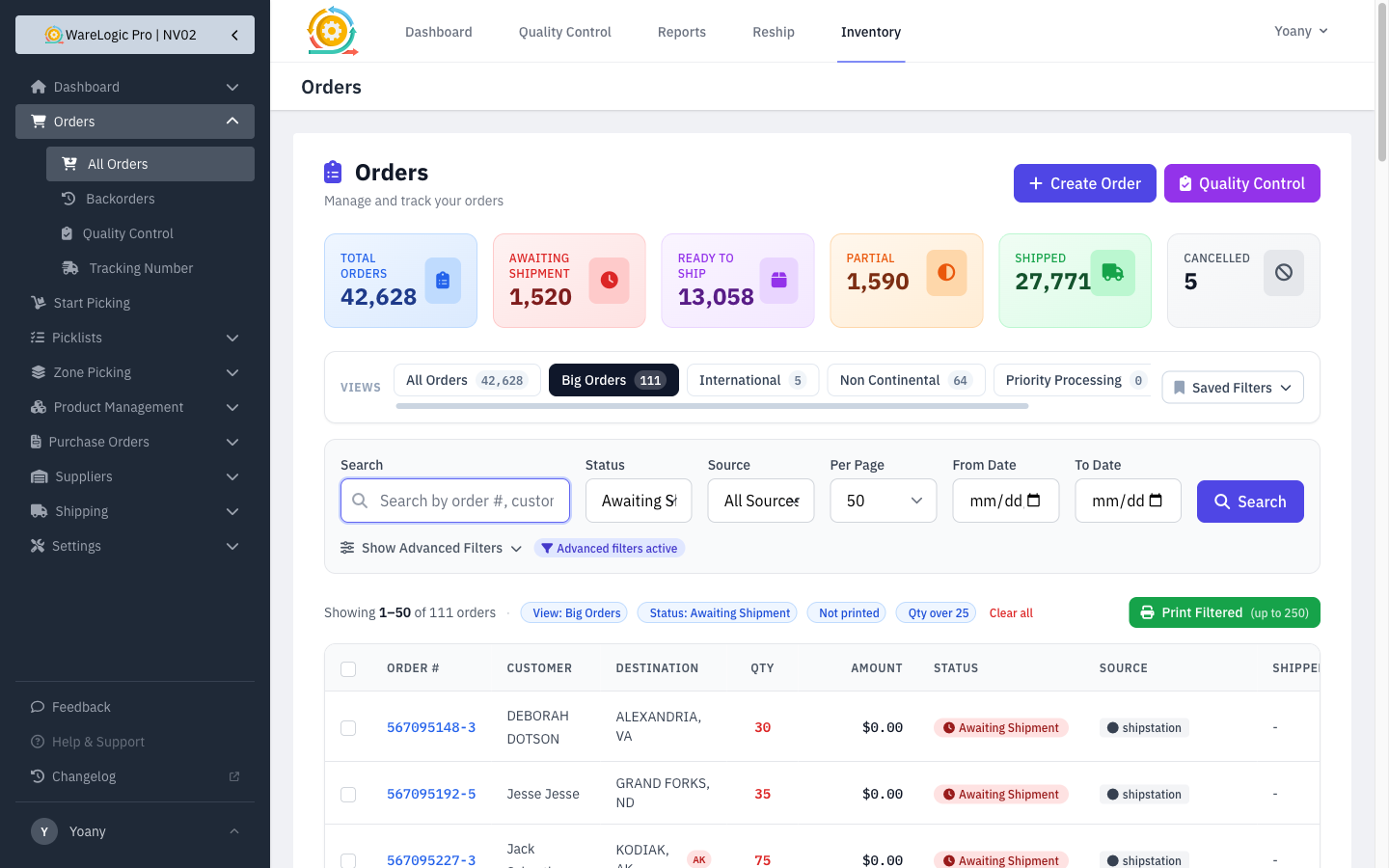
- The order views (Big Orders, International, Non Continental, Priority Processing, Rodmans) now only count and show orders that still need to ship, so the tab numbers match what you're working.
- When a view is active, every filter it applies now shows as a chip — so it's clear at a glance what you're looking at.
Collapsible Shipments on the Order Page
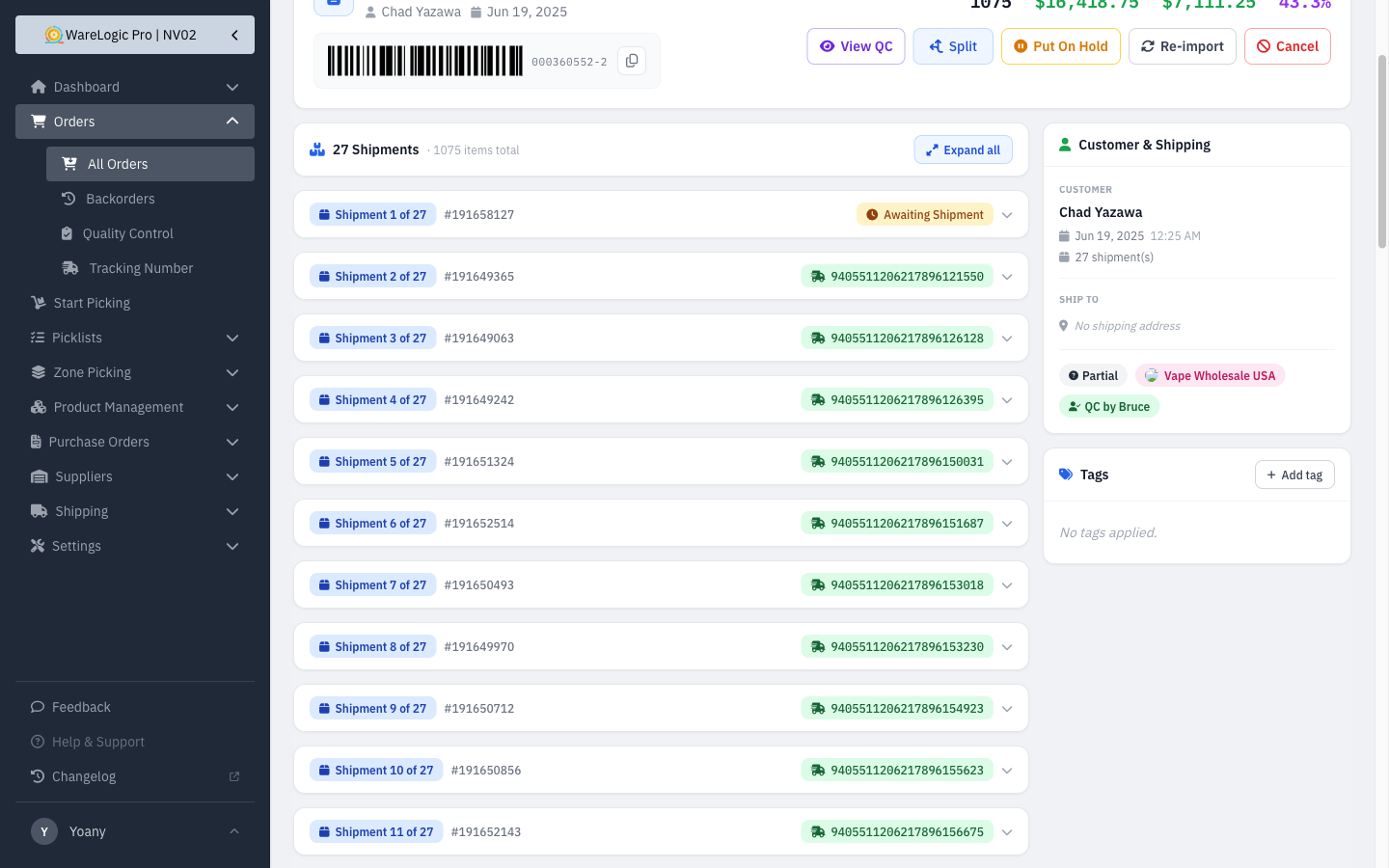
- Orders with several shipments can now be collapsed with one tap using Collapse all, turning each shipment into a compact one-line row (number, ID, and tracking or status).
- Expand any shipment on its own to see its items, or use Expand all to open everything back up.
Easier-to-Read Pick Screen
- The pick quantity is now much larger, so it's readable at a glance while you work.
- Each item now shows its product UPC right under the name for quick barcode confirmation.
Replenishment Sees New Locations Right Away
- When building a manual replenishment, picking a product now reloads its current locations — so a bin you just added to that product is recognized immediately, instead of the old warning that it had no usable location.
Attach Multiple Screenshots to Feedback
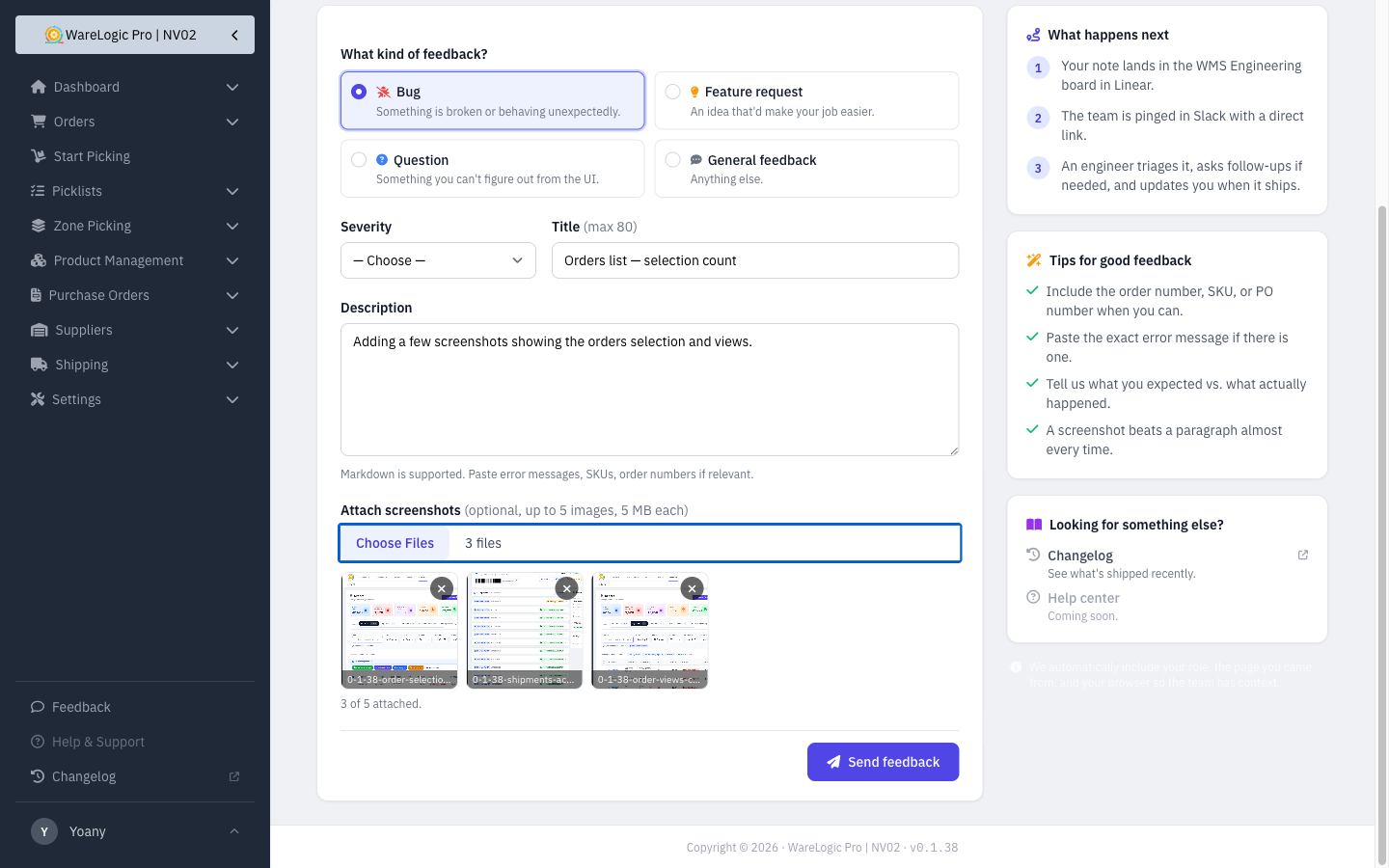
- The feedback form now takes up to five screenshots instead of just one.
- Each image you pick shows as a thumbnail you can remove before sending, so you can review your attachments first.