The Orders page has been rebuilt around the way you actually work. Jump to the orders that matter with one-click views, save the filter combinations you use every day, and see destination and item counts right in the list — no more opening each order to check. This release also keeps on-hold orders from slipping out the door and lets you print a whole batch of packing slips in one go.
One-click Views
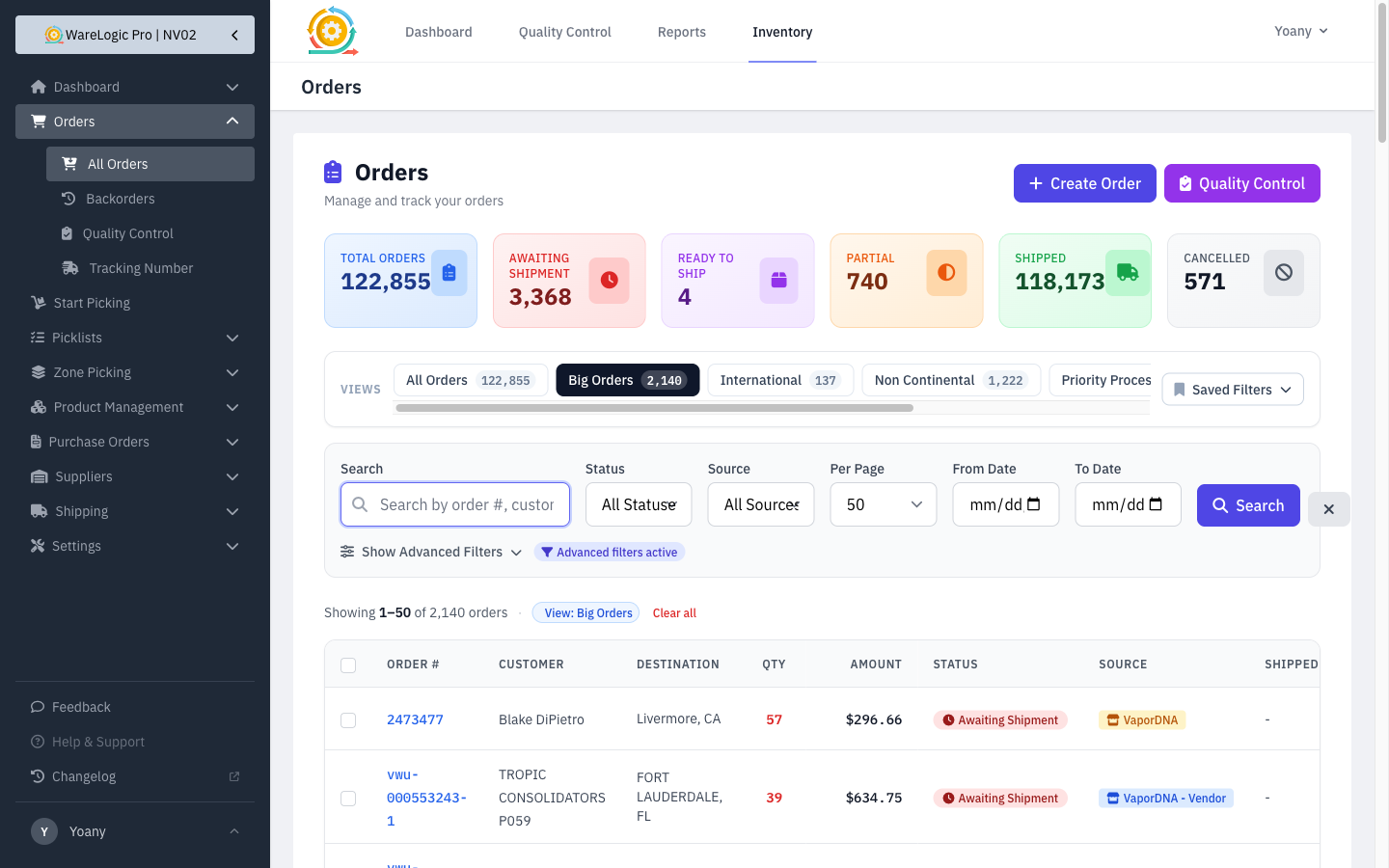
- A row of view tabs sits at the top of the Orders page, each showing a live count so you know how many orders are waiting before you click.
- Built-in views cover the situations you handle most: Big Orders (over 25 items), International, Non-Continental (Alaska, Hawaii, Puerto Rico, Guam, and military APO/FPO/DPO), Priority Processing, and Rodmans.
- Every preset view shows only orders whose packing slip hasn't been printed yet, so you're always looking at work that still needs doing.
- The applied view shows as a tag below the search bar with a Clear all link to get back to everything.
Your own Saved Filters
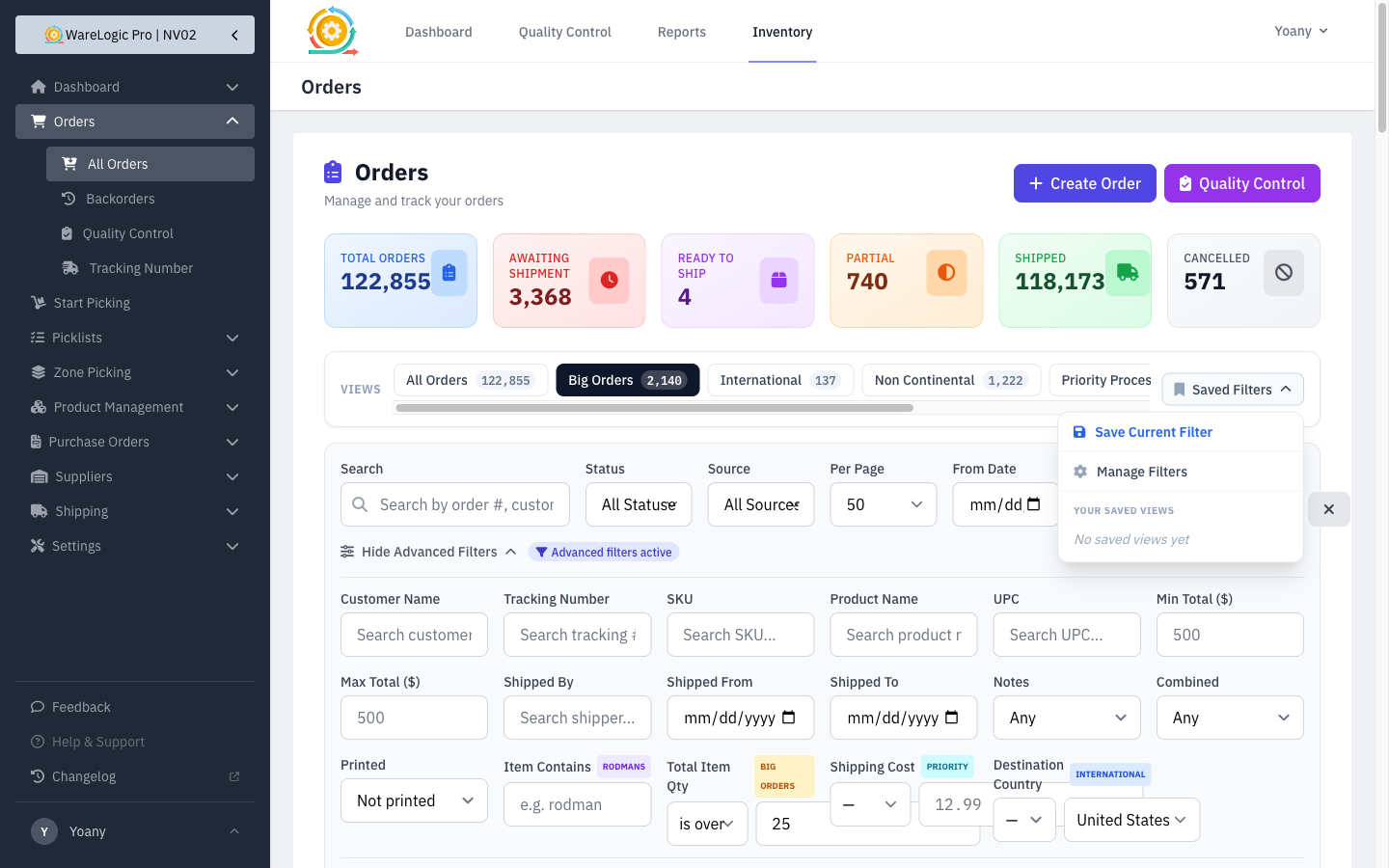
- Set up any combination of filters and Save Current Filter as a named view you can return to in one click.
- Your saved views live in the Saved Filters menu, and Manage Filters lets you rename, edit, or remove them.
- Managers can save a filter as a shared preset — a tab everyone sees — and edit or remove the built-in views too, so the standard views can be tuned as the warehouse's needs change.
Smarter search
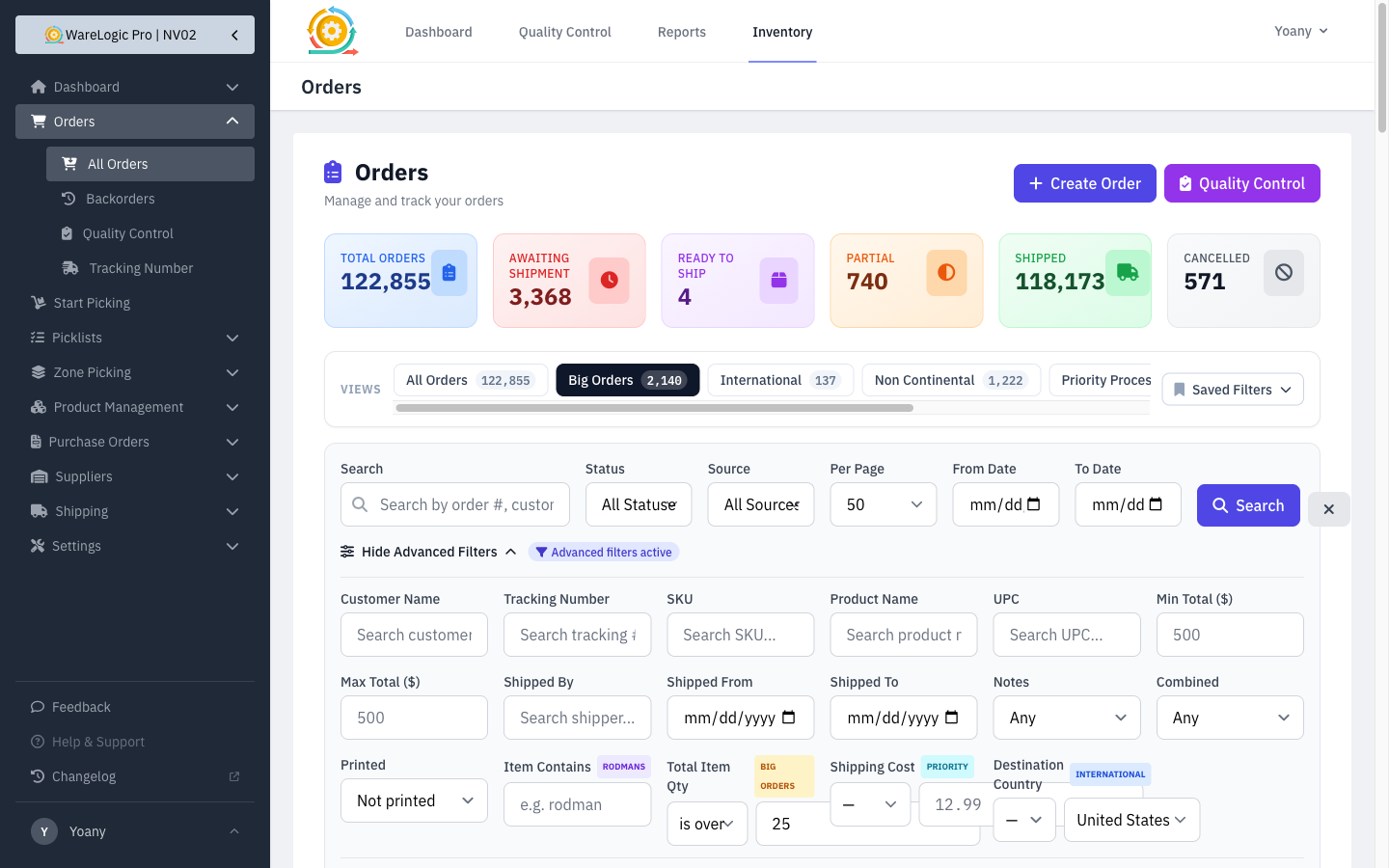
- New advanced filters let you narrow orders by total item quantity, destination country, destination region/state, item name, and shipping cost — the building blocks behind the preset views, available for your own searches too.
- The advanced filters now stay tucked away by default and open only when you need them, keeping the page tidy while your active filters stay visible as tags.
See more at a glance
- The orders list now shows a Destination column with a flag for international and non-continental orders, and a Quantity column that highlights big orders in red.
- Status and source labels and the date now stay on a single line, so rows are easier to scan.
Safer shipping for held orders
- Orders placed on hold (for fraud checks, address changes, or cancellations awaiting reconciliation) can no longer be marked ready to ship or shipped — the system blocks the action and explains why, so held orders don't go out by mistake.
Print a whole batch at once
- A new Print Filtered button prints packing slips for every order matching your current view or filters — up to 250 at a time — so you can clear a standard-order queue in one step instead of selecting orders page by page.