This release makes the Shopify connection a lot more hands-off and a lot safer: orders that haven't been paid for can't accidentally be picked or shipped, changes made on the Shopify side keep the WMS in step on their own, and connecting a store no longer means hand-wiring webhooks in the Shopify dashboard.
Don't ship what hasn't been paid
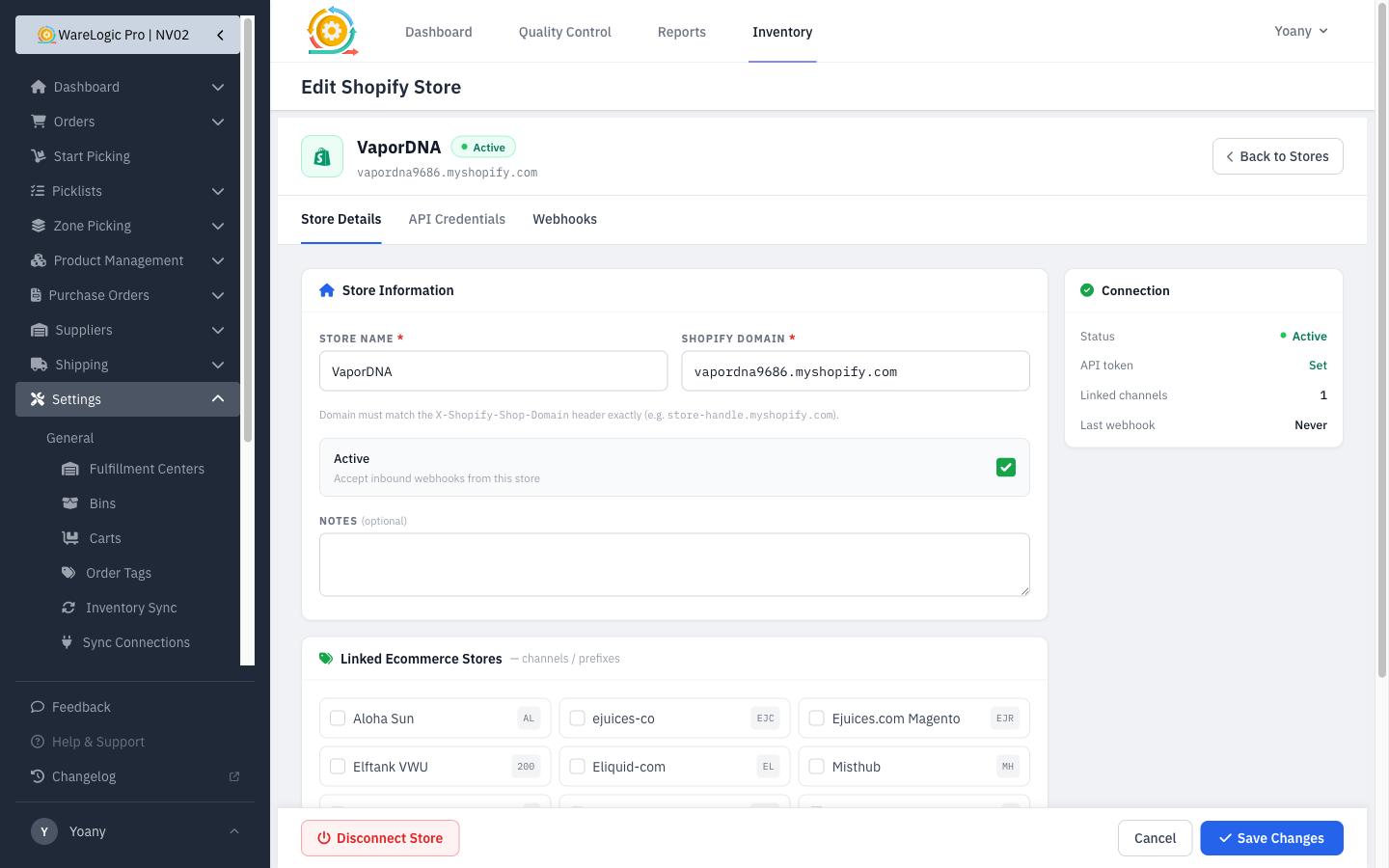
Orders whose payment hasn't cleared in Shopify now land in a new Awaiting Payment state instead of going straight into the pick/pack/ship queue.
- Awaiting-Payment orders are kept out of picking, QC, and label creation, so the team never works an order that isn't paid for.
- The moment Shopify marks the order paid, it's released automatically into Awaiting Shipment — no manual step.
- You can filter the Orders list by Awaiting Payment to see exactly what's waiting on money, and each order shows its payment state at a glance.
- As a safety net, the WMS also re-checks held orders against Shopify on a schedule, so an order can't get stuck waiting if a notification is ever missed.
Shopify changes now sync on their own
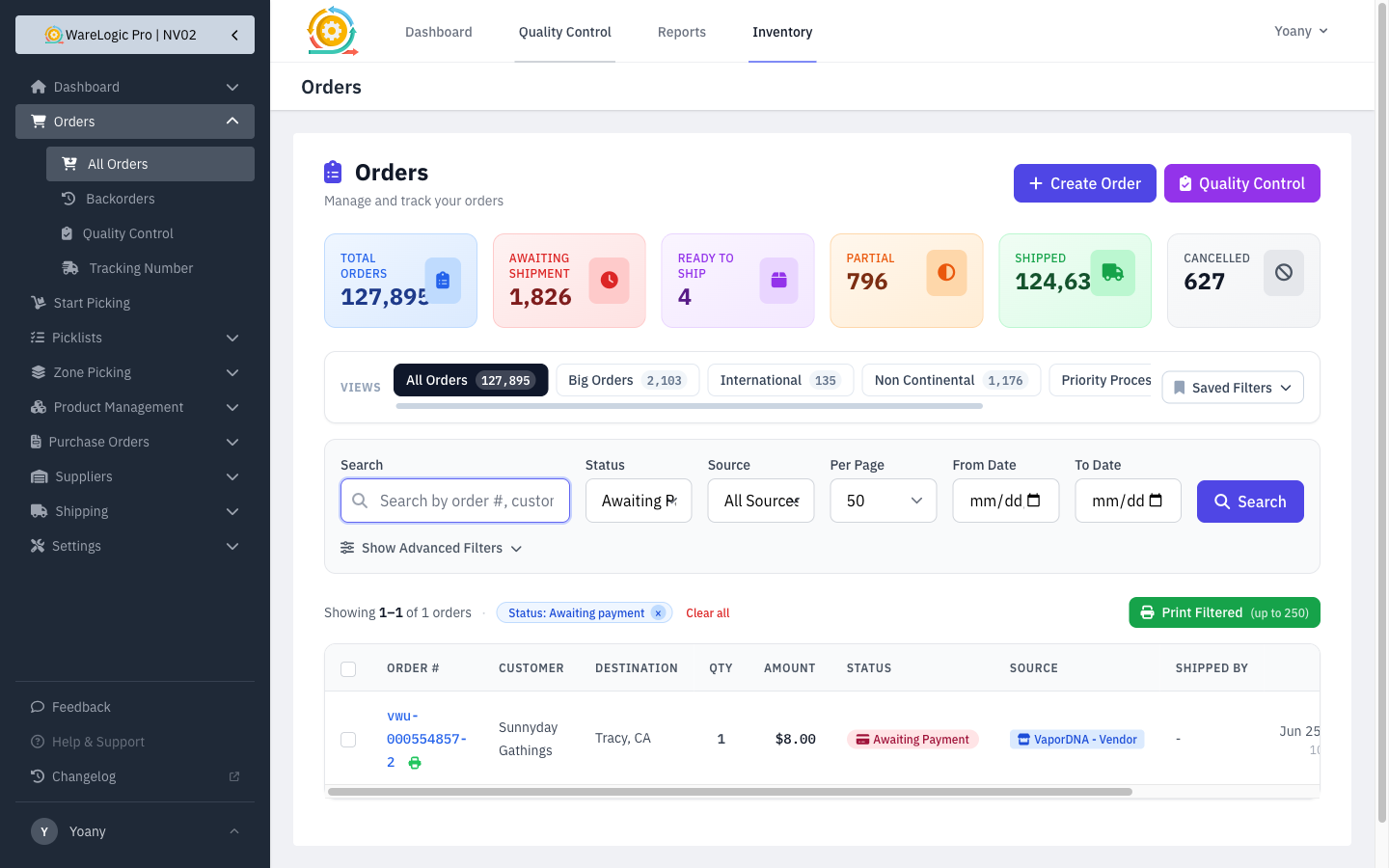
When something changes on the Shopify side, the WMS keeps up automatically:
- Order edited — line-item and quantity changes flow back into the order (for orders not yet picked).
- Order deleted — the order is cancelled in the WMS and its reserved stock is released.
- Refunds — a full refund cancels the order and restores stock; a partial refund is recorded while the rest of the order stays shippable.
- Missing orders that never made it in are also backfilled, so the WMS stays a complete mirror of what's in Shopify.
Manage a store's webhooks from the WMS
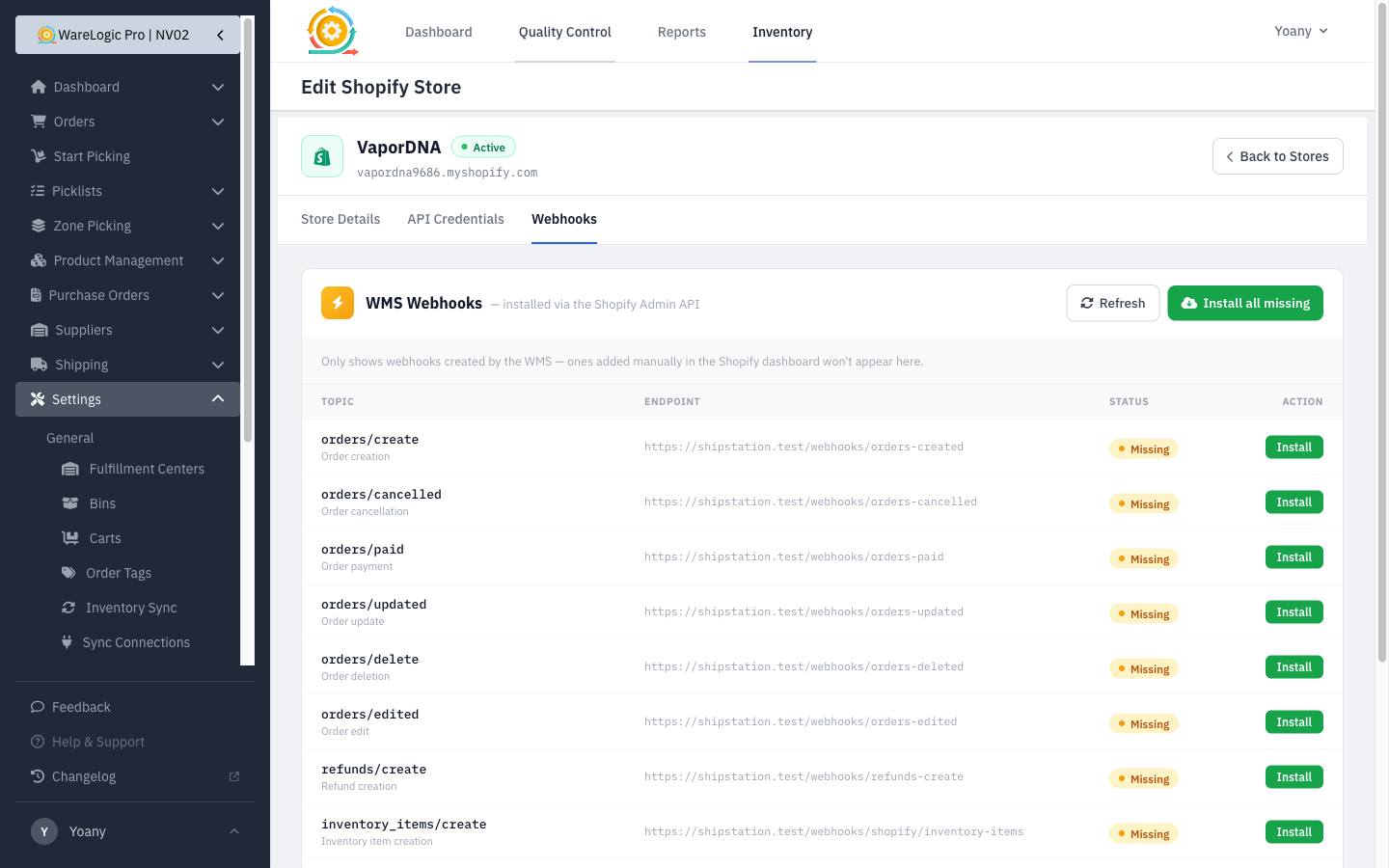
No more setting up Shopify notifications by hand. Each store's settings page now has a Webhooks panel that talks to Shopify directly.
- See which WMS webhooks are installed vs. missing for the store, at a glance.
- Install a single one, Install all missing in one click, or Remove any you don't want.
- It only lists the webhooks the WMS manages, so the view stays clean.
Tie a store to its sales channels
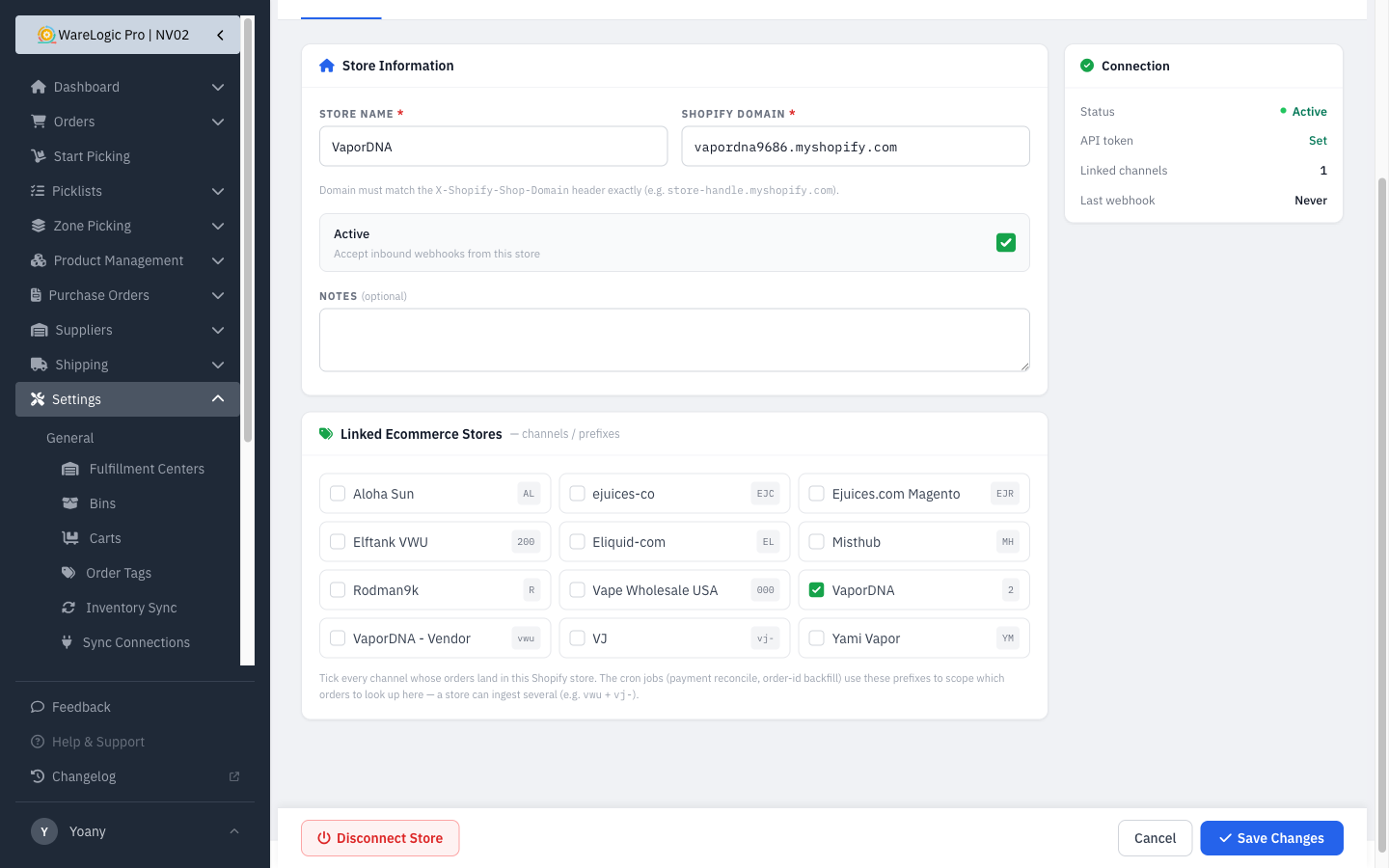
A single Shopify store often carries orders for more than one brand/channel. You can now link a store to all of its channels, and the automated jobs use that to look up only the right orders for each store instead of guessing.
Redesigned store settings
The Shopify store settings page was rebuilt into a cleaner, tabbed layout — Store Details, API Credentials, and Webhooks — with a status header and a save bar that stays in reach while you scroll.