This release transforms key warehouse workflows into guided, step-by-step processes that reduce confusion and speed up operations. It also introduces deep picker performance analytics and a real-time TV dashboard for warehouse visibility.
Guided Cycle Counting
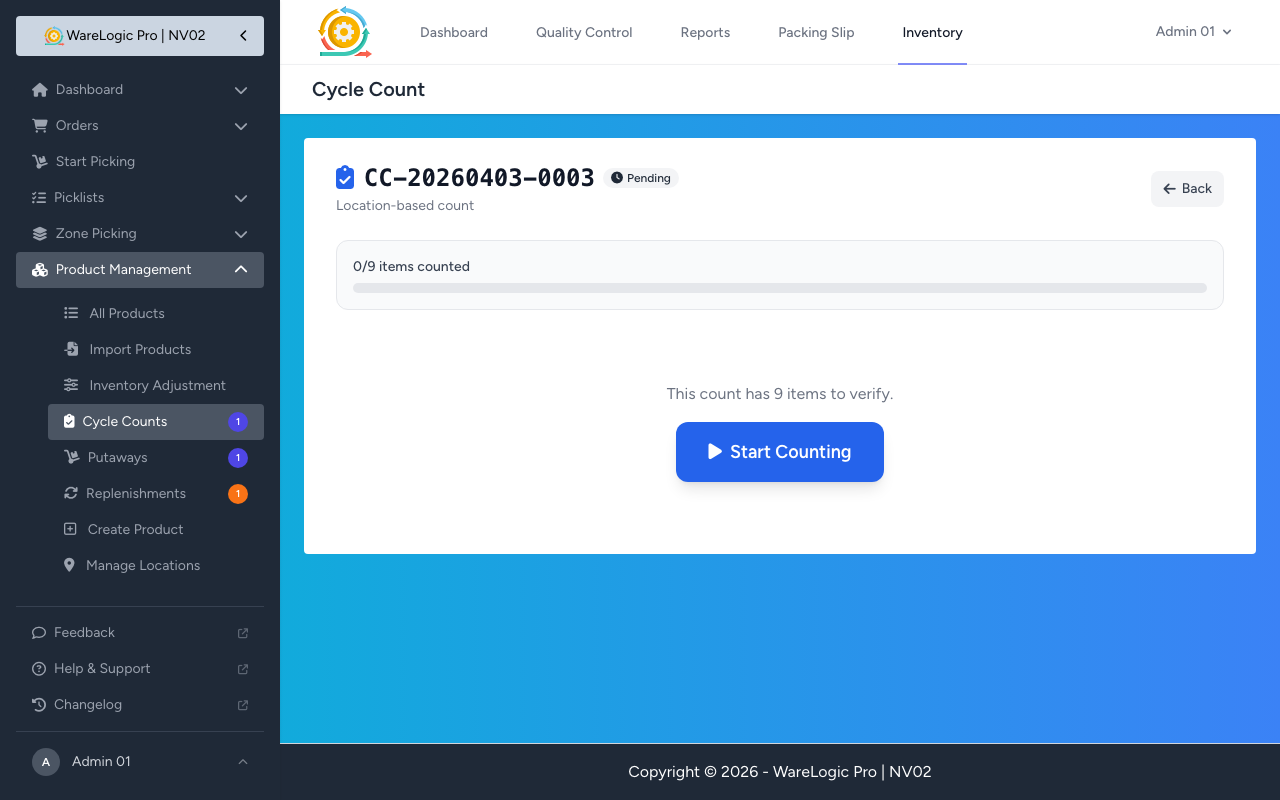
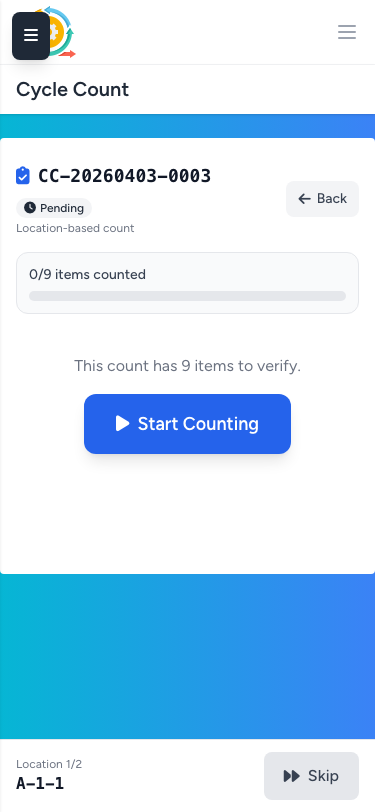
- Location-based counts now guide users through each location one at a time, showing only the items at the current location
- Prominent amber location header displays the current location code with "Location 2 of 8" progress
- Auto-advance to the next location when all items are counted, with brief visual confirmation
- Navigation controls: previous/next arrows, skip location, and a tappable location list sidebar with completion checkmarks
- Resume support: refreshing or re-opening a count picks up at the first incomplete location
- Completion screen shows summary stats (items counted, variances) with submit button
- Product scanning is scoped to the current location and prioritizes uncounted items when a product exists at multiple locations
- Add Item auto-populates the location from the current guided position
- Product-based cycle counts retain the existing free-form flow, unchanged
Product Move Wizard
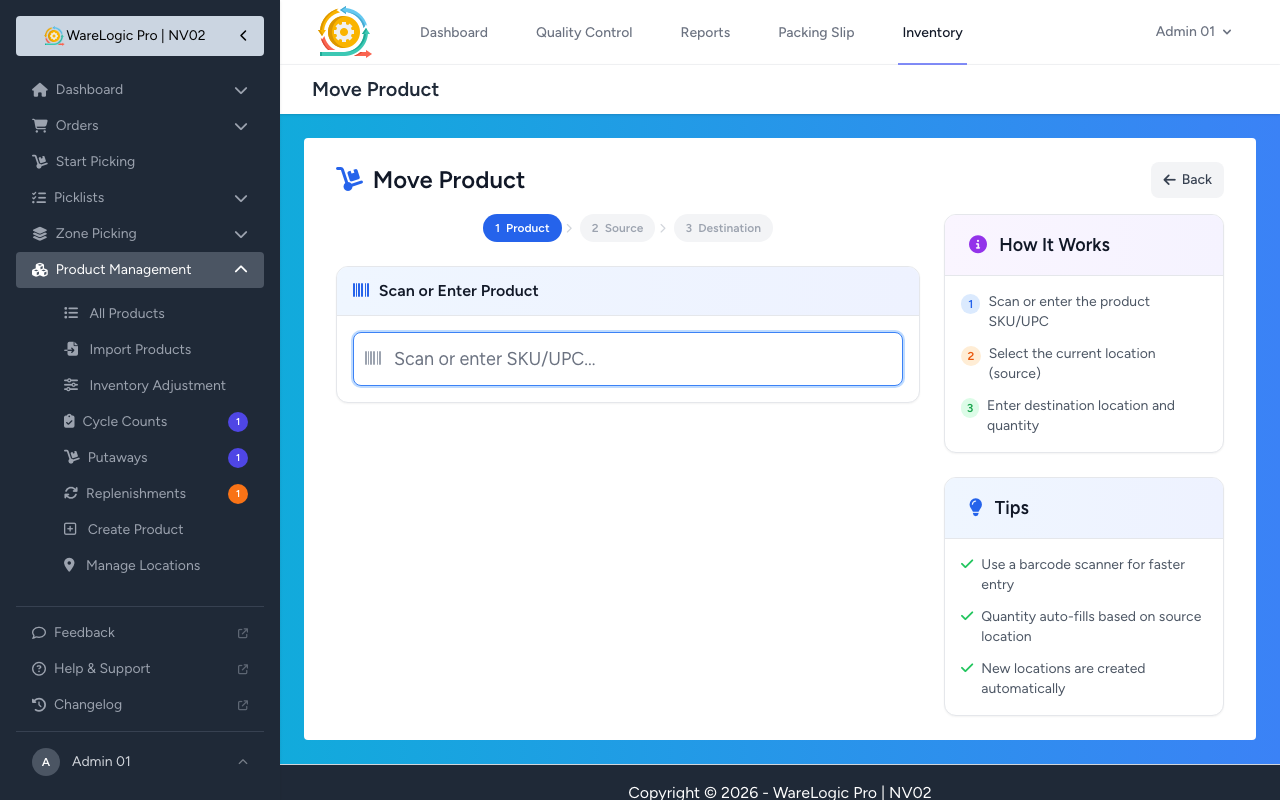
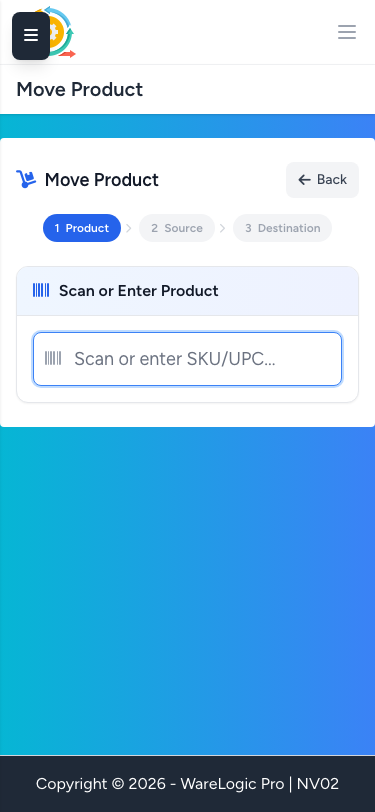
- Replaced the all-fields-visible form with a guided 3-step wizard optimized for mobile and scanner devices
- Step 1: Scan or enter product SKU/UPC with instant AJAX lookup and product info card
- Step 2: Select source location from tappable cards showing location code and on-hand quantity
- Step 3: Scan or enter destination location with quantity confirmation
- Auto-advances between steps: single-location products skip directly to Step 3
- Step indicator bar at top shows progress with completed/active/pending states
- Back navigation available at every step, resets downstream state cleanly
- Sidebar with how-it-works guide hidden on mobile to maximize screen space
Picker Performance Detail Page
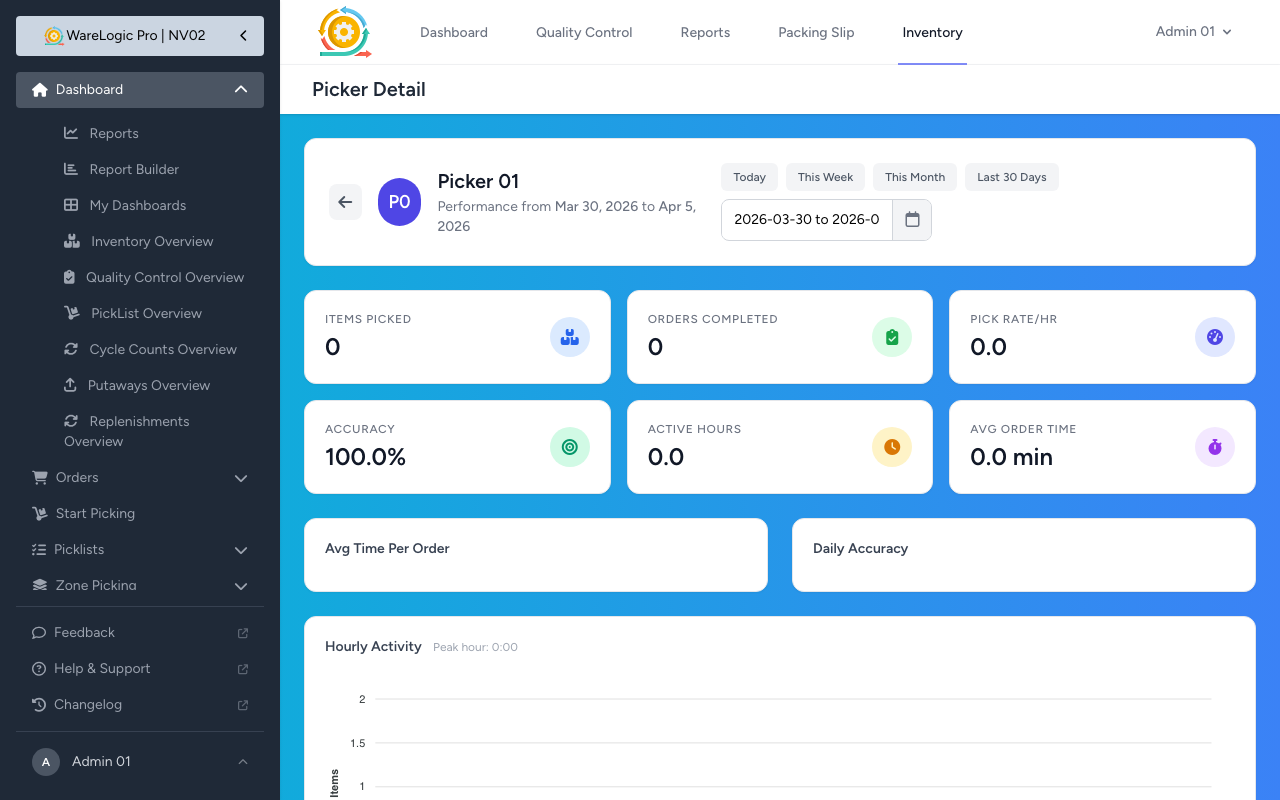
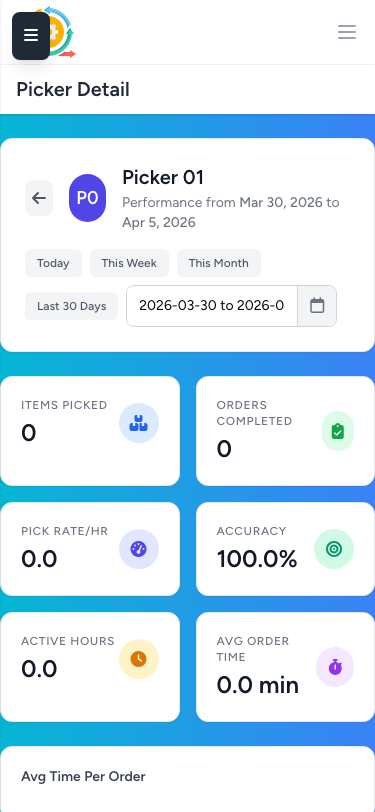
- Click any picker name on the Picking Reports leaderboard to access their individual performance dashboard
- Six key metric cards: items picked, orders completed, pick rate per hour, accuracy rate, active hours, and average time per order
- Speed trend line chart showing daily average time per order across the selected date range
- Accuracy trend line chart tracking daily accuracy percentage over time
- Hourly activity bar chart with 24-hour distribution and peak hour highlighted
- Speed stats card: fastest and slowest order completion times, average seconds between consecutive picks
- Accuracy and errors: skip reason breakdown chart and top 5 most skipped products
- Daily performance table with items, orders, pick rate, accuracy, hours, and average order time per day
- Recent orders table showing last 20 orders with item count, time taken, skips, and link to order detail
- Date range filter with quick presets (Today, This Week, This Month, Last 30 Days) and custom range picker
Picker Live Insights Dashboard
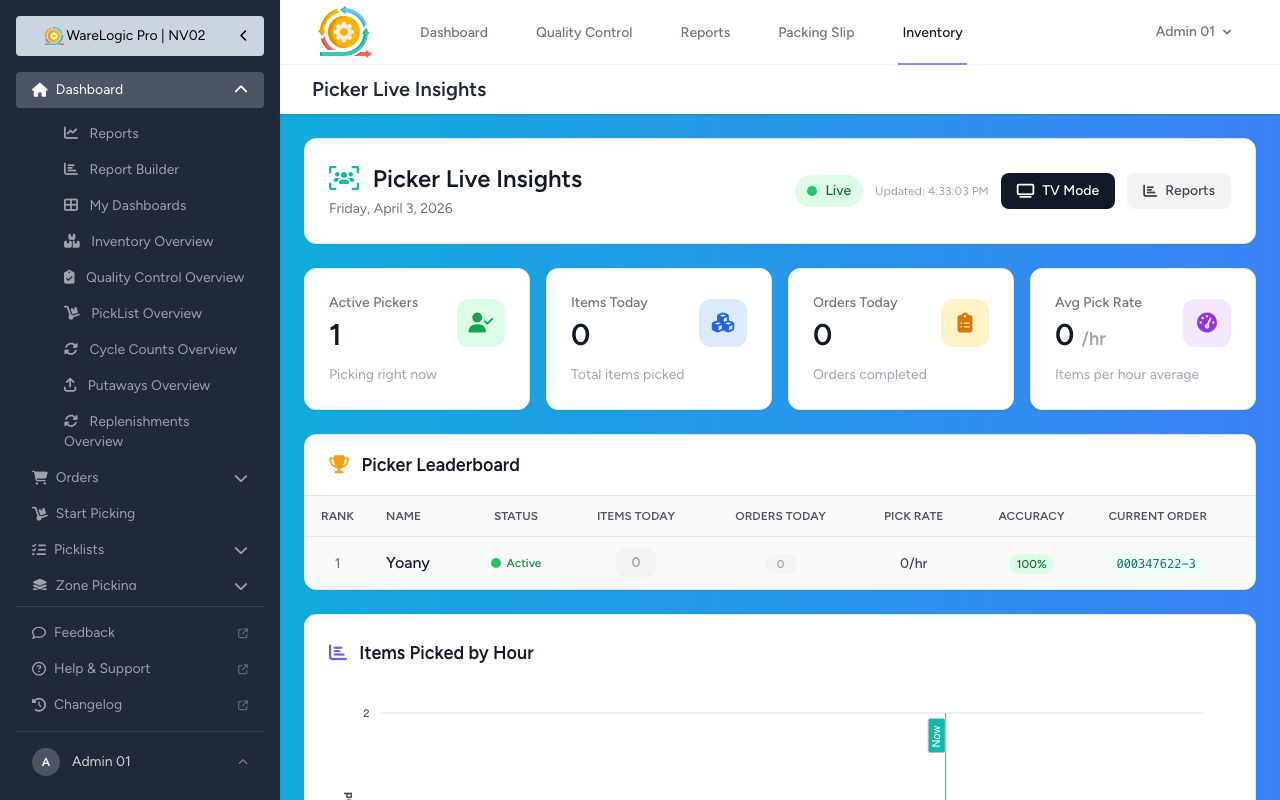
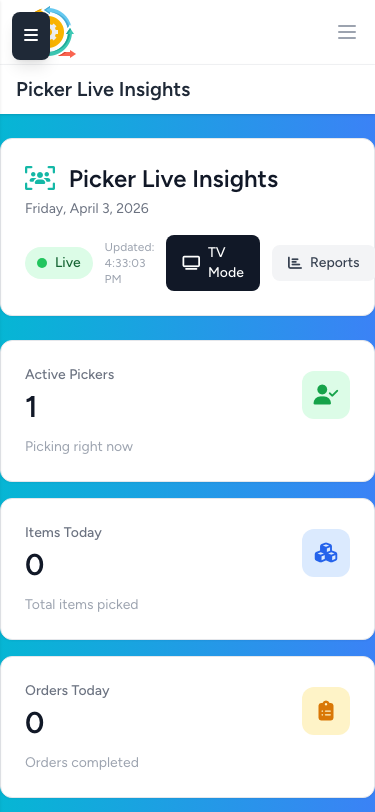
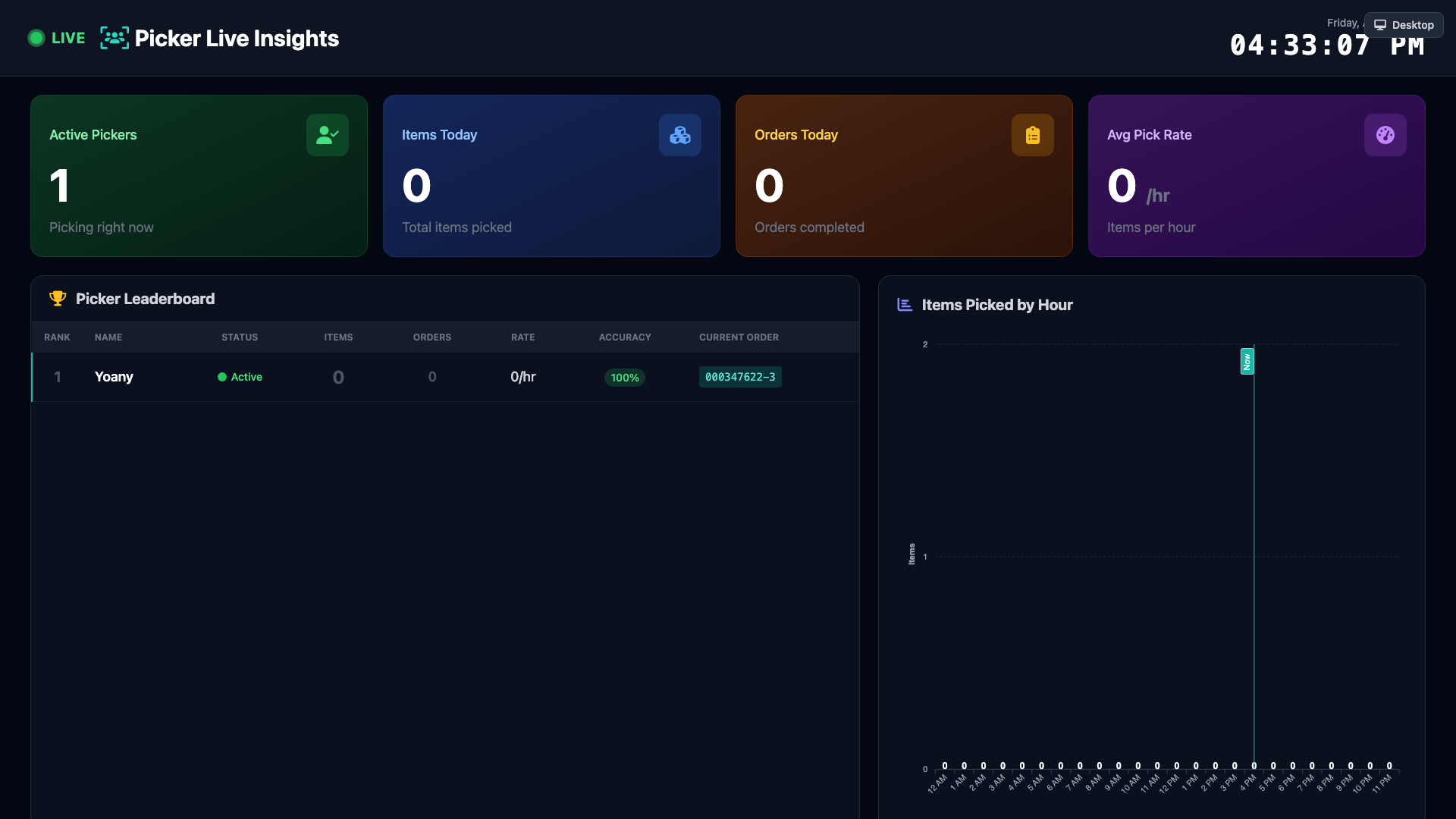
- New real-time dashboard for monitoring picker activity across the warehouse floor
- Summary cards: active pickers count, total items picked today, orders completed today, and average pick rate
- Live leaderboard showing each picker's rank, status, items today, orders today, pick rate, accuracy, and current order
- Hourly items bar chart with current hour annotation
- 30-second auto-refresh polling for up-to-date data without manual reload
- TV Mode: full-screen dark theme designed for wall-mounted warehouse monitors
- TV Mode features: auto-scrolling leaderboard, live clock, green LIVE indicator, animated count values, teal accent for active pickers, and rank medals for top 3
- Accessible from a "Live Insights" button on the Picking Reports page
SmartPDA Scanner Improvements
- Resolved an issue where
virtualkeyboardpolicy="manual"prevented SmartPDA hardware scanners from capturing barcode input - Implemented a readonly focus trick: sets input as readonly before focus to suppress the virtual keyboard, then removes readonly so the scanner can send keystrokes
- Applied across all scanner-equipped pages: picker scan-bin, picker pick, picker dashboard, cycle count, putaway, replenishment, and product move
- The
focusBarcodeInput()global helper uses the same trick, protecting all call sites automatically - Removed auto-refocus on blur behavior that was interfering with tapping other page elements on mobile
Additional Improvements
- Picker pick page: BIN assignment now displayed in a full-width purple banner below the navigation bar for better mobile visibility
- Picker pick page: "Not Here" button is hidden after picking at least one unit of a product, reducing clutter
- Order detail page: scannable Code 128 barcode displayed next to the order number with a copy-to-clipboard icon
- Order detail page: stats and action buttons right-aligned in the header for cleaner layout
- Cycle count mobile UX: compacted header and progress bar so the "Start Counting" button is visible without scrolling
- Cycle count: no duplicate Submit Count buttons on mobile — completion screen button hidden in favor of the sticky bottom bar