When you combine orders in ShipStation, the secondary order disappears from ShipStation and ships under the primary order's label. Until now the WMS didn't know that, so the absorbed order sat in "Awaiting Shipment" and could be picked, packed, or printed a second time. This release teaches the WMS about combined orders end to end.
No more double picking, packing, or printing
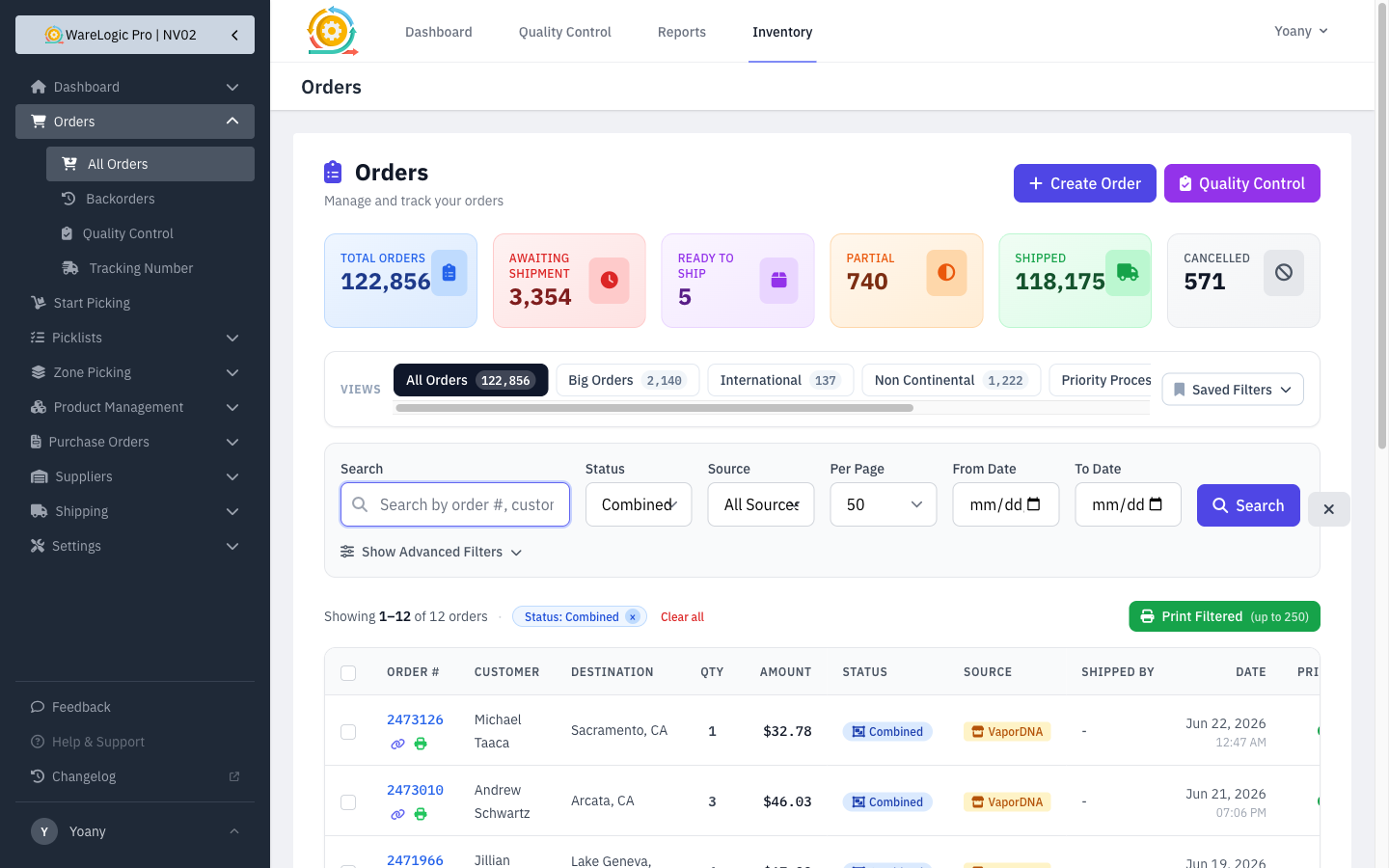
- An order that was combined into another in ShipStation now shows a Combined status in the WMS and automatically drops out of picklists, the picker, Quality Control, and packing-slip printing — so the same items can't be worked twice.
- A new Combined option in the Orders status filter lets you find these orders at a glance.
- Combined orders are blocked from being shipped on their own — they ship with the order they were combined into.
Ships automatically with the parent
- As soon as the order it was combined into ships in ShipStation, the combined order is marked Shipped on its own and inherits the same tracking number — no manual cleanup.
- This happens the moment the parent ships, and is also caught by the regular ShipStation sync as a safety net, so nothing is left stranded.
- If the order it was combined into is cancelled instead, the combined order is cancelled too and its reserved stock is released.
A clearer order page
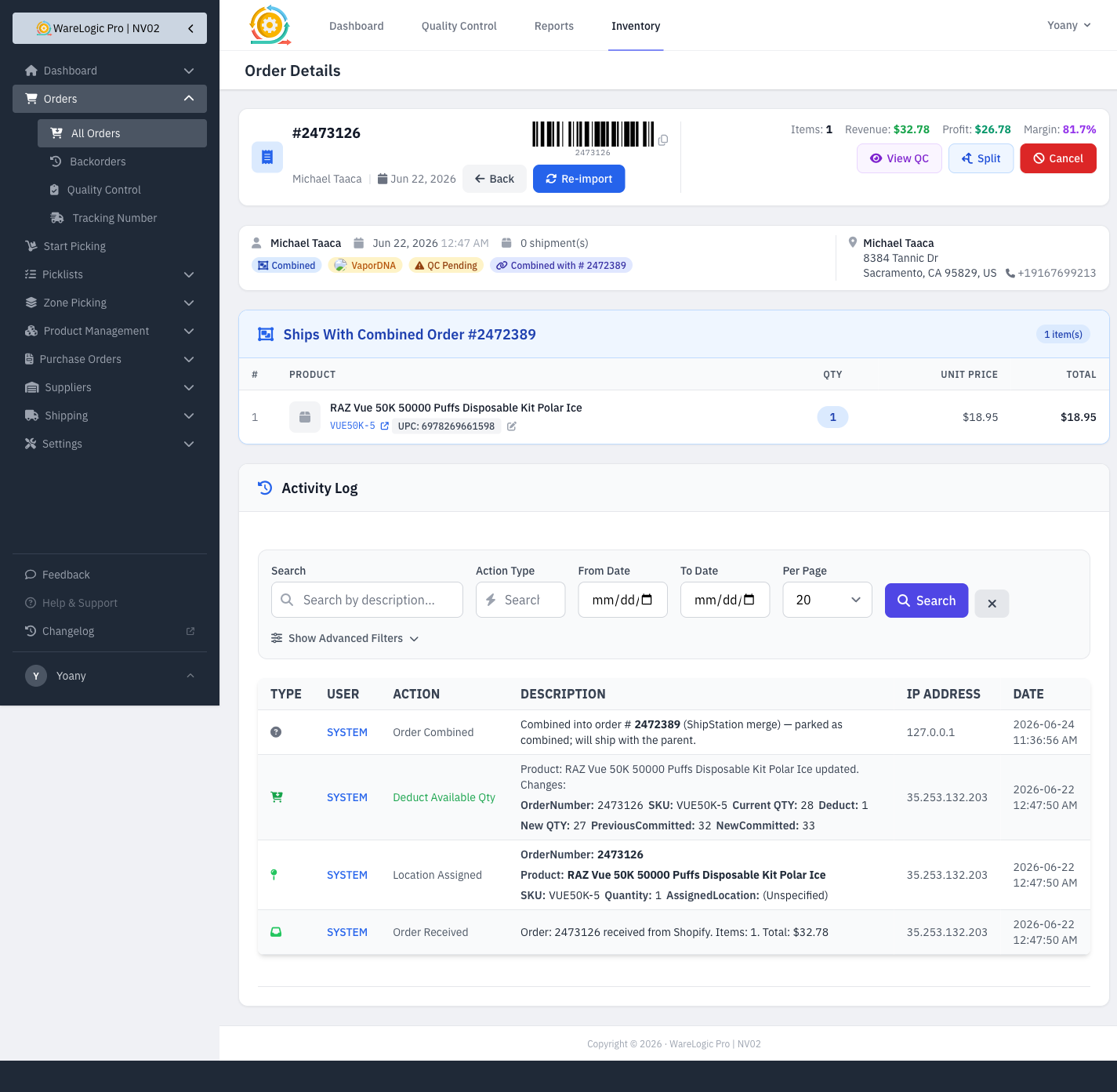
- A combined order's detail page no longer lists its items under a red "Unshipped Products" warning. Instead it shows a calm "Ships With Combined Order #…" panel that links to the order everything shipped under.
- The page no longer mixes in the parent order's items, so each order shows only what actually belongs to it.