This release gives the order detail page a fresh look and adds two requested tools for managing orders day to day: putting an order on hold, and tagging orders so the whole team can see at a glance why an order needs attention.
A cleaner Order Details page
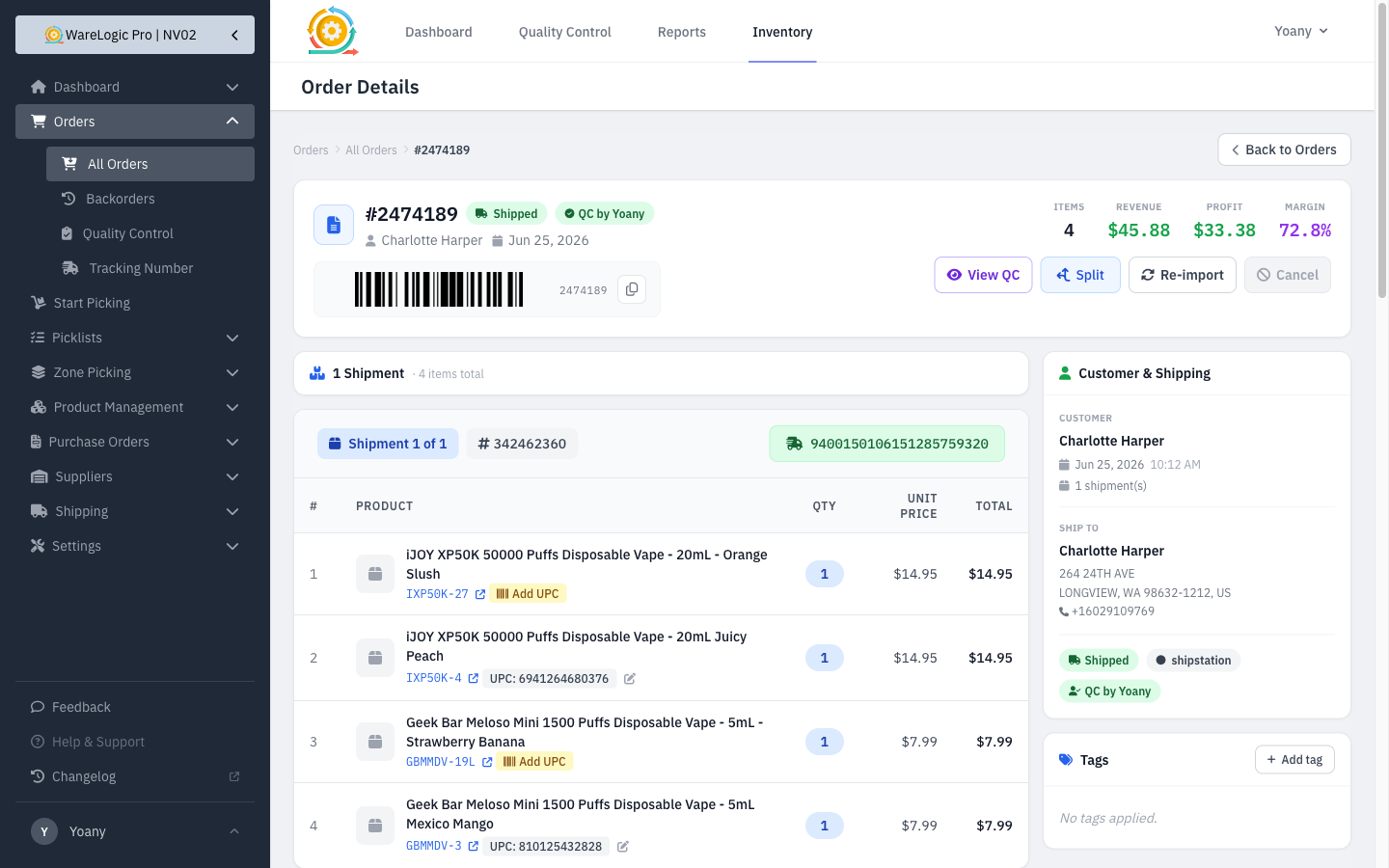
The order page has been rebuilt to make the most important information easy to find:
- A new header shows the order number, status, customer, date, and a scannable barcode all in one place, with the key numbers — items, revenue, profit, and margin — and the main actions lined up on the right.
- Shipments now sit in the main column with everything else — customer and shipping details, status, and tags — gathered in a tidy side panel.
- The full activity history sits at the bottom of the page, with searchable, filterable entries.
- Nothing was lost: splitting, QC, re-importing, combined/split order links, backorders, item notes, and barcode editing all work exactly as before.
Put an order on hold
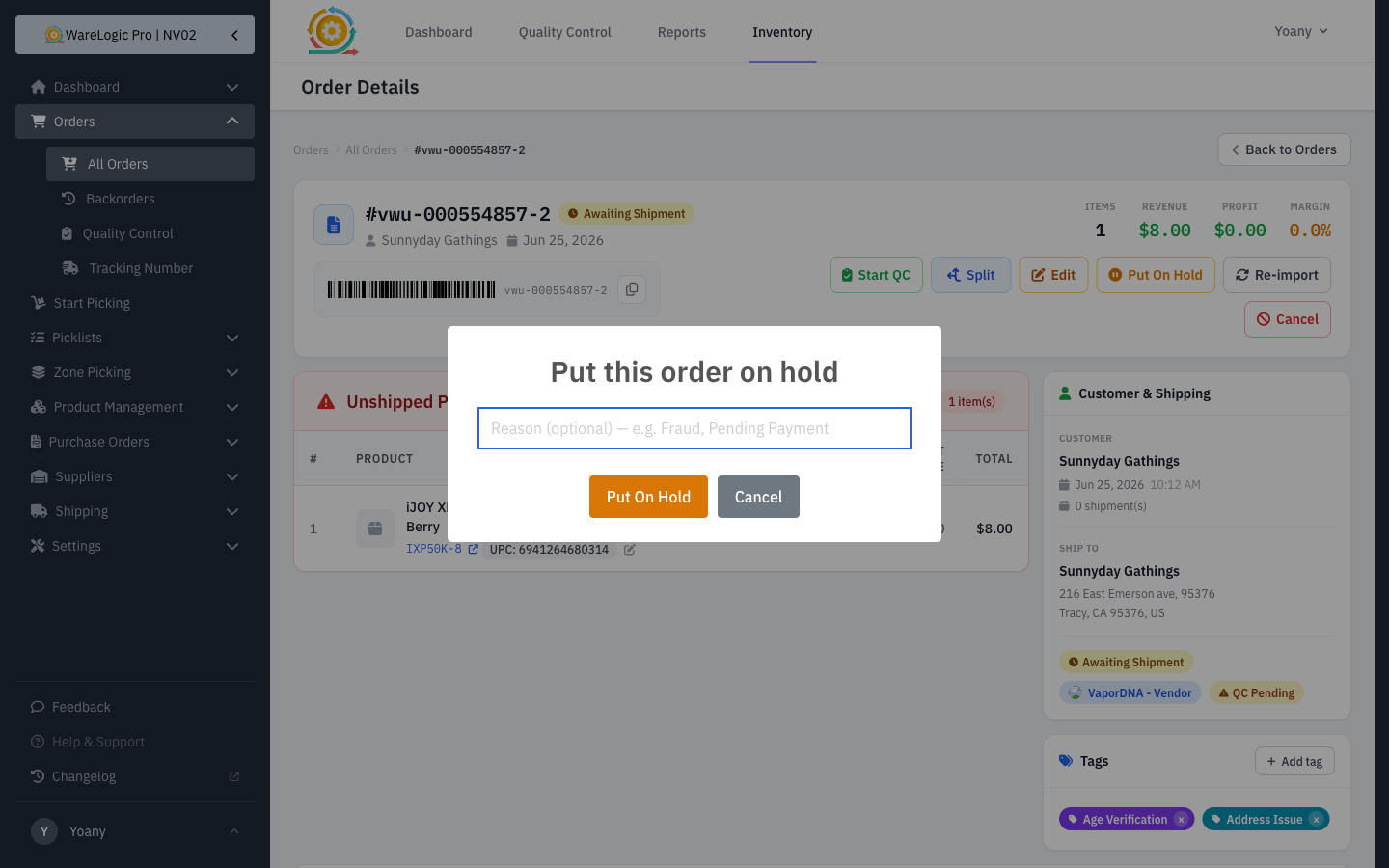
You can now pause an order without cancelling it — useful while you wait on payment, an age check, or a customer reply.
- A Put On Hold button on the order page (and in the orders list) lets you hold an order with an optional reason.
- Held orders show a clear banner with the reason, who placed the hold, and when.
- A Release Hold button puts the order right back into its normal flow when you're ready.
Order tags
Label orders with reusable, color-coded tags so the team can spot what needs attention at a glance.
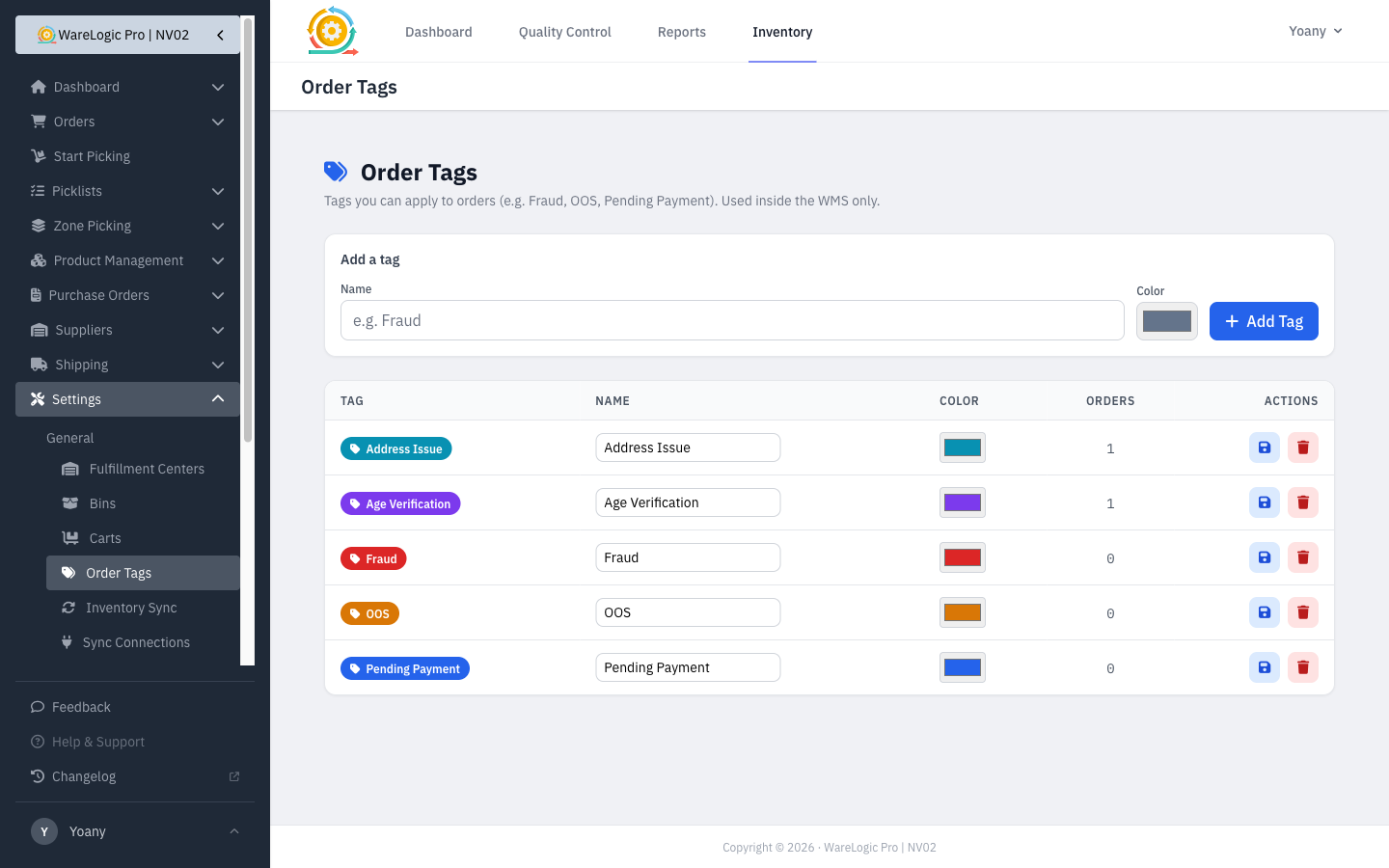
- Manage your tags under Settings → Order Tags — create them, rename them, pick a color, and see how many orders use each one. A handful of common tags (Fraud, OOS, Pending Payment, Age Verification, Address Issue) are ready out of the box.
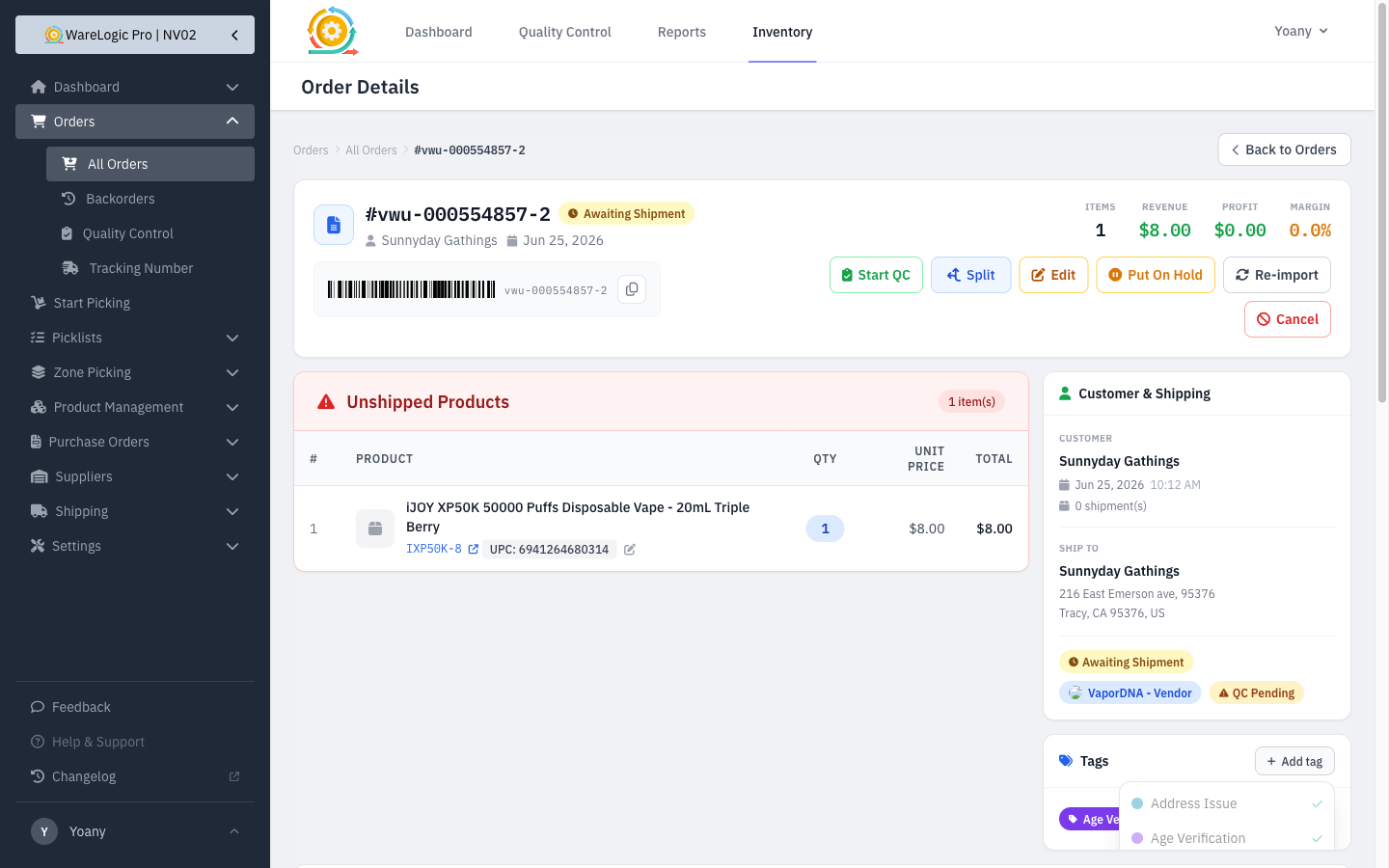
- Apply or remove tags right from the order page or the orders list. Tags appear as colored chips, and removing one is a single click.
- Tag changes are recorded in the order's activity history, so there's always a record of who tagged what and when.
Smaller improvements
- The View QC button now only appears once an order has actually been through quality control, so it's not shown when there's nothing to view yet.
- Hold and tag activity now show clear icons in the activity history instead of a generic placeholder.